


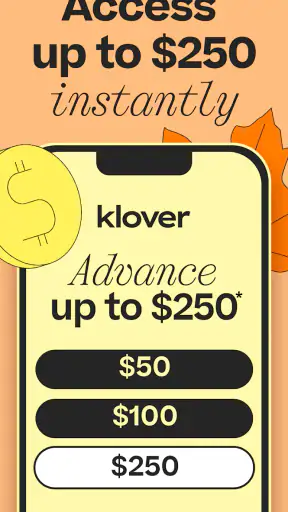


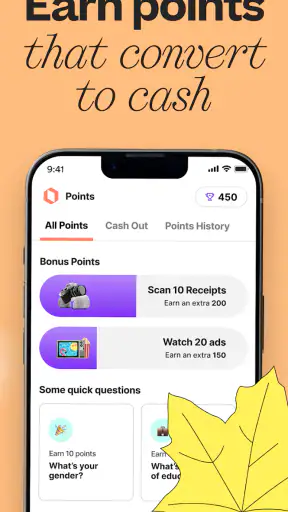
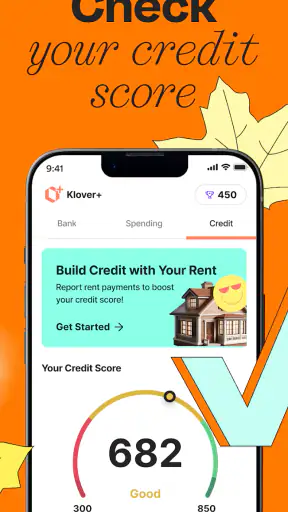
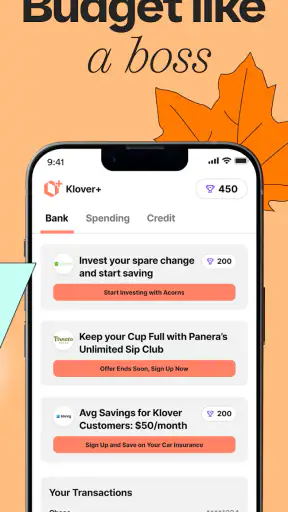
When an unexpected bill lands between paychecks, the hardest part is often not finding an app but understanding exactly what it can and cannot do. Klover - Instant Cash Advance is a free finance app from Klover Holdings built around access to a payday cash advance and instant cash advance. I see it as a short-term money-management tool rather than a replacement for regular income, and that distinction matters from the first screen.
The app is aimed at people who need to explore a cash advance quickly, but speed should not be confused with guaranteed approval or cost-free borrowing. Your situation, eligibility, repayment terms, and any applicable charges are the details that deserve your full attention before you accept anything. My strongest advice is simple: treat the app as a way to review an option, not as permission to spend money you have not yet received.
It is available at no charge and is rated for Everyone, which makes the basic download approachable for a broad audience. Its popularity is also easy to understand: Klover has passed five million installs, with an average rating of 4.6 from roughly 165 thousand ratings. Those figures suggest that many people find the service useful, but they do not replace your own check of the offer shown inside the app.
What the first session with Klover feels like
After installing it, I would approach the opening experience as an eligibility and account-review process, not as an instant cash button. The store summary emphasizes borrowing money quickly, but the practical path still involves entering information, connecting the relevant financial details if requested, and reading the result carefully. A first-time user should expect the app to ask enough questions to determine whether its service fits their circumstances.
The cleanest way to use it is to begin with a specific need. For example, imagine that a utility payment is due before payday and you are considering a small advance to prevent a late payment. Before opening the app, write down the amount you actually need and the date your normal income arrives. That small preparation helps prevent the common mistake of requesting more simply because an available amount looks convenient.
I also recommend deciding in advance how repayment will fit into the next pay cycle. An advance can solve a timing problem while creating a second problem if it leaves too little for groceries, transport, rent, or other fixed commitments. The useful question is not only “Can I get the money?” but also “What will my next week look like after repayment?”
Klover Holdings is the developer behind the app, and the current version is 2026.12.0. On Android, the listed minimum operating system is Android 7.0. Keeping the app updated is sensible for any finance service, especially when the app handles personal information and account access, but an update alone should never be treated as proof that a particular advance will be available.
Setting up an account without rushing
During setup, use your real personal details and an email address or phone number that you can reliably access. Financial apps often depend on verification messages and account matching, so using an old contact detail or an abbreviated name can turn a simple registration into a frustrating loop. I would also avoid setting up the account while connected to an unreliable public network.
When Klover asks you to connect financial information, pause and read what is being requested before continuing. The important issue is not merely whether the connection succeeds. You should understand which account is being considered, whether it reflects your normal income activity, and whether the information is current. A dormant account or an account that does not represent your usual finances may produce a result that is less useful to you.
Another practical tip is to keep your phone number and banking details consistent with the information you normally use. Mismatches can be especially confusing because a user may interpret a verification delay as a rejection. If something fails, check spelling, account selection, and the status of the connected account before repeatedly submitting the same request.
Read every screen that describes repayment, delivery speed, optional services, or charges. A phrase such as “instant” describes the intended experience, not a promise that every user will receive funds immediately. Timing can depend on eligibility, verification, the receiving account, and the method offered to you. I would never plan a bill payment around money until the transfer is visibly confirmed.
Reaching the first meaningful result
The first successful action is not necessarily borrowing. For a new user, success can be completing setup, checking eligibility, and understanding the available choice without accidentally accepting something unsuitable. That approach feels slower than tapping through every prompt, but it gives you control over the decision.
If an advance is offered, compare the amount with the exact expense that brought you to the app. Borrowing a little less may be wiser if it covers the immediate gap while reducing the pressure on your next paycheck. Conversely, borrowing too little can lead to another emergency request, so the right figure is the one connected to a clearly defined need rather than an arbitrary maximum.
Before confirming, look for the repayment date or schedule, the total amount you will need to return, and any distinction between standard delivery and faster delivery. Also check whether the app presents optional features alongside the core advance. I would not assume that the amount shown at the beginning is the amount that will arrive in your account or the full amount that will later leave it.
Once you accept an advance, save the confirmation details in a secure place and mark the repayment date in your calendar. This is a small but valuable workflow improvement. It separates the emotional relief of receiving money from the practical responsibility of returning it. If the app provides a repayment status or transaction history, use it to verify what happened rather than relying on a notification alone.
Where new users commonly get confused
The word “instant” is the first potential source of confusion. In everyday language, it sounds like cash must arrive at once. In practice, a request can still involve checks, account matching, processing, and transfer timing. I would regard an advance as pending until the receiving account shows the money, and I would avoid promising a payment to someone else based only on an in-app approval message.
A second confusion is the difference between being able to install the app and being eligible for an advance. Klover is free to download, but that does not mean every person will receive the same result. Eligibility is a separate question, and it may change as your connected financial circumstances change. The large user base and strong rating are useful signals of adoption, not personal approval criteria.
Users can also mistake an available amount for spare income. It is borrowed money with a future consequence. If your next paycheck already has several commitments attached to it, an advance may make the current day easier while making the next pay cycle tighter. In that situation, contacting the bill provider, asking for a due-date adjustment, or using a lower-cost alternative may be the better move.
Another point worth checking is the delivery choice. A faster transfer may be presented differently from a regular transfer, and the timing or cost can vary by the option shown to you. I would compare the urgency of the bill with the terms on screen instead of automatically selecting the fastest path. If the payment is not due until later, paying extra for speed may not make practical sense.
How it compares with familiar alternatives
Compared with asking a bank for a traditional personal loan, Klover is more focused on a short-term cash gap and a quick mobile workflow. That can make it more convenient when the need is modest and immediate. A bank or credit union may be a better fit for a larger expense, a longer repayment period, or a situation where you want a more conventional lending relationship.
Compared with a credit card, the decision depends on the terms you already have. A card may offer a predictable statement cycle, but using it can increase revolving debt and interest if you carry a balance. Klover may feel more direct for a narrow paycheck-timing problem, while a credit card could be more flexible for a purchase that you can repay under terms you already understand. Neither option is automatically cheaper; the total repayment details should decide.
Compared with overdraft protection, an advance may be more deliberate because you choose to request money rather than letting a transaction push an account below zero. However, overdraft arrangements differ widely, and some bank accounts include their own low-cost buffer or alerts. Before borrowing, check whether your bank can offer a fee-free solution, a temporary extension, or a payment arrangement.
Compared with payday lenders, a mobile app can feel less intimidating and easier to review, but the label “app” does not make borrowing harmless. The same discipline applies: inspect the total obligation, understand when repayment occurs, and avoid taking a new advance to cover an earlier one. If you are repeatedly short before payday, the issue is probably structural rather than a one-time timing problem.
Small habits that make the app safer to use
My first non-obvious recommendation is to use Klover as a planning checkpoint before using it as a borrowing tool. Open it when you are calm, review the available path, and decide whether the expense is truly urgent. Waiting until a payment is already overdue encourages rushed decisions and makes every fast option look attractive.
My second recommendation is to calculate the post-repayment balance, not just the amount you need today. Take the expected next deposit, subtract rent, utilities, food, transport, and existing automatic payments, then subtract the repayment obligation. If the remaining amount is uncomfortably small, the advance is not solving the whole problem. It is moving the shortage forward.
A third useful habit is to keep a simple record of every advance and repayment outside the app. A note with the request date, amount received, amount due, and repayment date is enough. This helps you notice whether a supposedly occasional tool has become part of every pay cycle. That pattern is more important than any single successful transfer.
Finally, protect access to the phone and the email account associated with the service. Use a screen lock, avoid sharing verification codes, and review notifications before acting on them. If a message asks you to provide sensitive information in an unusual way, return to the official app rather than following an unfamiliar instruction. Convenience is valuable only when account security remains under your control.
Who will benefit and who should skip it
Klover makes the most sense for someone facing a genuine, short-lived timing gap who has a clear repayment plan and wants to review a mobile cash-advance option. It may also suit a person who prefers seeing the process in an app rather than making calls or visiting a branch. The free download lowers the barrier to exploring the service, and the Everyone age rating keeps the presentation broadly accessible.
I would be cautious if your income is irregular, your account balance is already unstable, or your essential bills consume nearly all of your next deposit. I would also skip it as a routine way to fund discretionary spending. A cash advance is poorly matched to an ongoing budget shortfall, a large purchase, or debt that will take several pay cycles to resolve.
If you need more time to repay, compare other options first. A credit union, employer assistance program, negotiated bill extension, or carefully reviewed bank product may provide a better structure. If the situation involves repeated emergencies, free budgeting support or a conversation with a trusted financial counselor could be more useful than another short-term advance.
My recommendation after using the workflow
What I like about Klover is the directness of its purpose. It brings a short-term cash-advance request into a phone-based process and lets a user investigate an option without paying to install the app. Its strong rating and broad adoption make it a service many people are willing to try, but I would still judge it one screen at a time rather than relying on popularity.
What limits it is the nature of the product itself. Fast access can encourage fast decisions, and repayment can arrive at the exact moment your budget is already under pressure. The app is most helpful when it supports a specific plan; it is least helpful when it becomes the plan for surviving every pay cycle.
My next-step advice is to install Klover, complete the initial review carefully, and stop before accepting anything until you know the amount you will receive, the amount you will repay, and when repayment is expected. If those details fit a real, temporary need, the app may be a practical option to consider. If they do not fit comfortably, closing the request is a successful outcome too. For me, Klover is best used as a carefully checked emergency tool, not as extra income.
The app was released on April 12, 2020, and its current Android release is 2026.12.0. That continuing presence makes it reasonable to keep on a shortlist of services to examine, but the final decision should always come from your own budget and the exact terms presented during your session. Use it deliberately, keep the repayment date visible, and let the app solve a narrow timing problem rather than hide a larger one.


